


Medical and surgical logbook
2.36.00 Reviews
App Specs
- Version
- 202607291
- Updated On
- License
- Free
- Downloads
- 10,000+
- Developer
- Logitbox Ltd
- Categories
- Medical
- Platform
- Android
Screenshots
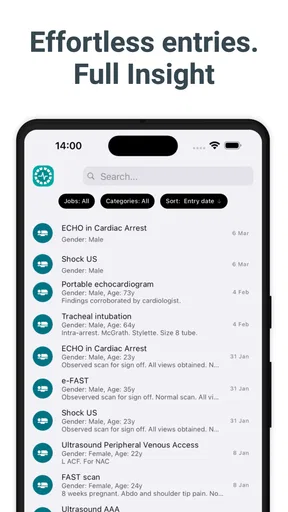
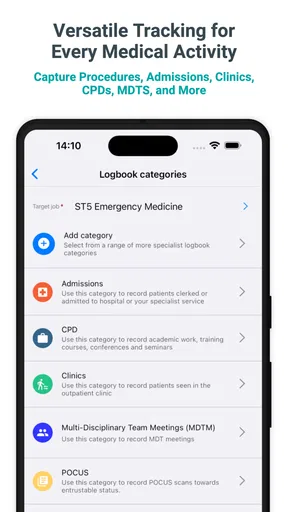
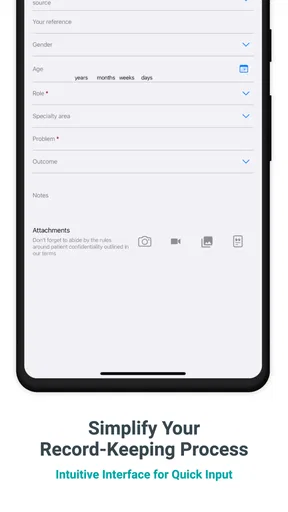
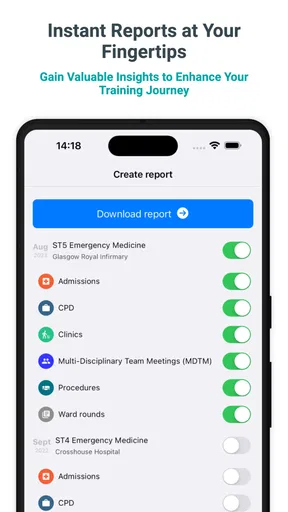
 Analysis by AppCompare
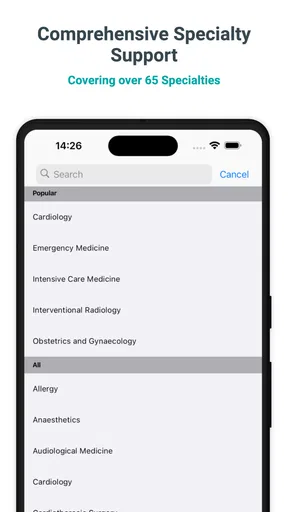
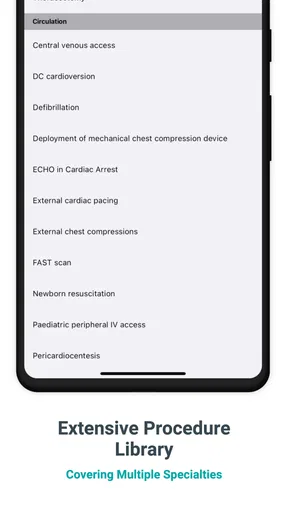
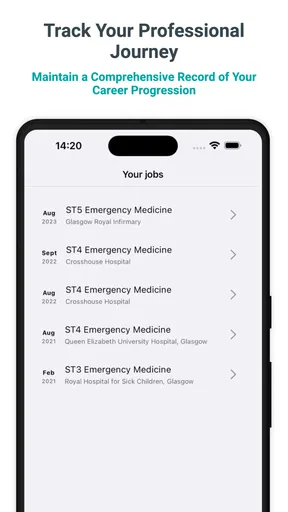
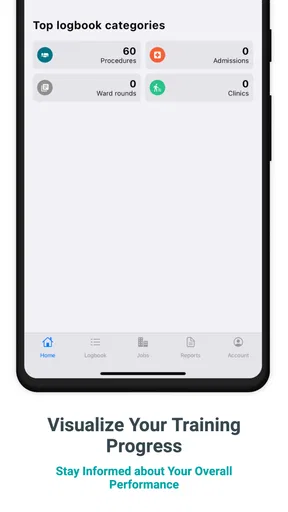
Keeping a reliable record of clinical work sounds simple until procedures, outpatient visits, admissions, clinics, and academic activity begin to pile up. Medical and surgical logbook is built around that practical problem. It is a free medical app from Logitbox Ltd that gives students and healthcare professionals a dedicated place to record their work instead of scattering notes across paper, spreadsheets, and general note-taking apps.
My overall view is mixed but fairly clear: the idea is useful, especially for someone who wants one focused record for training and professional development, yet the modest average rating of 2.3 from around 75 ratings suggests that the experience has not worked smoothly for everyone. I would treat it as a structured personal logbook rather than a complete clinical system. That distinction matters, because it is where the app can genuinely help and where it should not be asked to do more than it is designed for.
What the app is trying to solve
The app’s central purpose is straightforward. Instead of opening a blank document after every shift, I can use a medical and surgical logbook to keep procedure records, clinic activity, outpatient encounters, admissions, and academic work in one place. That separation from ordinary notes is valuable because clinical records usually need consistent categories and repeated details. A general notes app may be flexible, but it also makes later searching and reviewing much harder.
I see the strongest use case in training. A learner moving between wards, clinics, operating theatres, or teaching sessions often needs to remember not only what happened, but also the type of activity, the setting, and the progress made over time. A dedicated logbook encourages that habit. It turns scattered experiences into a record that can be reviewed before supervision meetings, assessments, or applications.
It is also relevant to people who already keep a paper logbook but want a digital backup or a more convenient way to enter information immediately. A phone is usually close at hand, so recording a short entry after a clinic may be easier than waiting until the end of the day. That small reduction in friction can make the difference between a complete record and a half-remembered one.
Still, I would not confuse a personal logbook with an official hospital record. The app should not replace patient documentation, institutional systems, consent procedures, or local training requirements. Its role is to help the user maintain a personal account of activity. Any entry should be written with professional confidentiality in mind, avoiding unnecessary identifying information.
A practical workflow during a busy day
Imagine a surgical trainee finishing a morning list and then moving to an outpatient clinic. A useful routine would be to make a brief entry soon after each activity, while the procedure type, level of involvement, and learning point are still fresh. Later, the trainee could add academic work or teaching completed that day. The benefit is not just storage; it is the creation of a chronological learning trail.
Worth Reading Before You Choose

EA SPORTS FC Mobile 26 Is a Bigger Football Game, but It Takes Time

Flipboard Shows What News Apps Must Do Beyond the Feed

Switching to Android Auto Means Rethinking Your Driving Routine

Google Calendar Makes a Crowded Week Easier to Manage

Ludo King Makes the Most of the Minutes Between Plans

Baby Panda World Brings Quick Play to Modern Phones, but Its Game Library Feels Busy
That workflow also exposes an important trade-off. Entering information immediately improves accuracy, but doing it on a phone during a busy clinical day can feel inconvenient. If the app requires too many fields or does not make repeated entries quick, users may postpone recording them. My advice is to use it in short sessions rather than trying to reconstruct an entire week at once. A logbook is most useful when it becomes part of the daily routine.
One non-obvious advantage of separating clinical activity from reflection is that it can reveal gaps. After reviewing several weeks, a user may notice repeated exposure to one type of case but very little experience in another area. That insight can make conversations with supervisors more concrete. Instead of saying, “I need more variety,” the user can identify the pattern in the record and plan future learning accordingly.
Where the focused design helps
Medical and surgical logbook is more purposeful than a generic diary because its subject is already defined. I do not have to invent a filing system from scratch for procedures, clinics, outpatients, admissions, and academic activity. That matters for a user who wants to begin recording quickly and does not enjoy building elaborate spreadsheets.
The app is also more suitable than a standard task manager for retrospective review. A task list tells me what I intended to do; a logbook helps me remember what I actually encountered. Those are different jobs. For a student preparing evidence of ongoing experience, the latter is usually more relevant.
Compared with paper, a phone-based record is easier to carry and potentially easier to update at the point of activity. Compared with a spreadsheet, it may feel less intimidating for someone who does not want to design columns, filters, and formulas. The compromise is that a spreadsheet often gives more control over sorting, custom reporting, and long-term export workflows. Users who need detailed analysis should keep that limitation in mind.
The app is free to download, which makes trying it relatively low-risk. It is marked for Everyone, and it runs on devices using Android 9 or later. Its current version is 202607291, so anyone with an older device should check compatibility before planning a long-term record around it. In-app purchases range from $5.49 to $47.99 per item, meaning the free entry point does not necessarily represent the total cost of every available option.
The weakness I would take seriously
The rating is the clearest warning sign. An average of 2.3 is not a minor blemish for an app whose main promise is dependable record keeping. With around 75 ratings and 6 written reviews, the public response is not overwhelmingly large, but it is enough to make me cautious. A logbook has to earn trust through consistent, low-friction use; if users encounter problems while entering or reviewing records, the whole purpose is weakened.
I would therefore test the app with a small sample before committing years of clinical history to it. Create a few representative entries, try to find them again, check how comfortably you can correct an error, and see whether the organization matches your training needs. This is a better approach than importing or recreating a large archive immediately.
Another limitation is the likely tension between a predefined medical structure and the variety of real clinical practice. A focused logbook can be easier than a blank spreadsheet, but it may also feel restrictive if your specialty, training program, or local assessment framework uses categories that do not fit neatly. Before relying on it for formal evidence, compare its workflow with the requirements of your institution or professional body.
I would also avoid entering sensitive patient details. Even when an app is intended for medical activity, a personal logbook should be treated as a learning and experience record, not as a place for full clinical narratives. Use the minimum information needed to identify the activity for your own legitimate purpose, and follow workplace rules. This is not merely a technical concern; it is part of using any personal medical record responsibly.
The purchase model deserves attention as well. Because optional items can cost from $5.49 to $47.99, a user should understand what is included in the free experience before becoming dependent on the app. A trainee may be perfectly satisfied with a basic record, while someone expecting advanced organization or a more extensive workflow may encounter costs later. I would make that decision early rather than after entering months of data.
Who will get the most from it
I think the best audience is a medical student, junior doctor, surgical trainee, or other healthcare learner who wants a simple dedicated place to maintain a personal activity record. It is particularly suitable for someone who is currently inconsistent with paper notes and finds spreadsheets too cumbersome. The app’s subject-specific focus gives that user a starting structure without requiring a separate productivity system.
It may also help a clinician who wants to track academic activity alongside clinical exposure. Keeping those areas together can make the record more representative of professional development. A person preparing for a review conversation could look back at the balance between procedures, clinics, admissions, outpatient work, and academic efforts rather than relying on memory.
I would be more hesitant to recommend it as the primary choice for a department, hospital, or training program that needs shared access, formal verification, standardized reporting, or administrative oversight. A personal logbook and an institutional platform serve different audiences. If several people must enter, approve, audit, or compare records, a system designed for team administration will usually be a better fit.
It is also not the right choice for someone who expects a full electronic health record, appointment manager, prescribing tool, or patient-management platform. The app’s value comes from logging experience, not from replacing clinical infrastructure. Choosing it for those broader tasks would create unrealistic expectations from the beginning.
For a user who is highly comfortable with spreadsheets, the decision is less obvious. A spreadsheet can support custom fields, formulas, filters, backups, and tailored summaries. The app may still be preferable when convenience and a medical-specific starting point matter more than customization. My recommendation would depend on whether the user needs quick entry or detailed control.
Small habits that make the record more useful
I would create a consistent personal shorthand before using the app seriously. For example, decide how you will distinguish observing a procedure from assisting or performing it, and apply that distinction every time the relevant fields allow it. Consistency makes later review much more meaningful than a collection of entries written in different styles.
I would also add a short learning note to important entries rather than recording only the activity label. A brief reminder of what was learned, what needs follow-up, or what should be discussed with a supervisor can turn a passive log into a revision tool. The point is not to write a full case report; it is to preserve the one detail that would otherwise disappear by the end of a demanding week.
A weekly review is another useful habit. Rather than waiting until an assessment or appraisal, spend a few minutes checking whether the record reflects the work actually completed. This can reveal missing entries while they are still easy to reconstruct. It also helps separate a genuine gap in experience from a gap in documentation.
Finally, keep the app’s record aligned with any required official documentation. If your school or employer expects signatures, supervisor confirmation, or a specific format, the app should be a supporting personal tool, not the only copy. That approach reduces the risk of discovering too late that a neatly maintained digital history does not satisfy a formal requirement.
How it compares with familiar alternatives
Paper logbooks remain attractive because they are visible, familiar, and independent of an app interface. They can also be signed or annotated in ways that fit local practice. Their weaknesses are obvious: they can be misplaced, become untidy, and are difficult to search. A phone-based logbook is more convenient for quick access, but its usefulness depends on the quality and reliability of the digital experience.
Spreadsheets offer the opposite balance. They are powerful and adaptable, especially for users who want totals, filters, custom categories, or a personal dashboard. However, building and maintaining a spreadsheet takes effort, and a poorly designed one can become just as confusing as a pile of paper. Medical and surgical logbook is appealing when the user wants a ready-made context rather than a blank grid.
General note-taking apps are flexible and often excellent for reflections, but they do not automatically provide the mindset of a logbook. They encourage free-form writing, which is useful for detailed learning notes but less useful when the goal is consistent activity tracking. I would choose general notes for reflections and supporting material, and a dedicated logbook for repeated clinical records, provided its workflow proves dependable.
Institutional training platforms are usually the strongest option when official verification and shared oversight matter. Their downside can be complexity or limited personal control. The app reviewed here makes more sense as a personal companion, particularly for someone who wants to record activity in the moment and later transfer relevant information into an official system.
My final recommendation
Medical and surgical logbook is a sensible idea with a cautious recommendation. It addresses a real need: keeping procedures, clinical settings, admissions, outpatient work, and academic activity together in a focused personal record. I like the way that purpose can encourage better habits than scattered phone notes or delayed paper entries, and I can see genuine value for learners who need a portable record of progress.
At the same time, the low average rating means I would not describe it as an effortless choice. Test the basic workflow first, confirm that it suits your specialty and training requirements, and be deliberate about privacy and backup habits. The optional purchase range also makes it worth understanding your likely needs before paying for anything.
Logitbox Ltd has positioned this as a medical logbook rather than a complete clinical platform, and that is the lens I would use. If you want a focused personal record and are willing to check that the app behaves reliably on your device, it is worth trying because the download is free. If you need formal institutional verification, extensive customization, shared administration, or a patient-care system, I would choose the appropriate professional alternative instead.
After installing it, my practical advice is simple: start with a handful of typical entries, review them after a week, and only then decide whether it deserves to become your main personal logbook. That trial will tell you more than the category label alone. For the right trainee, it can bring order to an otherwise messy record; for everyone else, a well-designed spreadsheet or official training platform may remain the more dependable choice.
Pros
- Quickly record procedures
- cases
- and clinical experiences on the go.
- Structured entries make it easier to organize surgical training history.
- Useful search and filtering tools help locate older logbook records.
- Supports reflection by keeping notes
- outcomes
- and learning points together.
- Can simplify preparation for reviews
- assessments
- and portfolio discussions.
Cons
- Data entry may feel repetitive when documenting many similar procedures.
- Some features may require time to configure for individual training needs.
- Sensitive patient information requires careful handling and secure device settings.
- Limited offline functionality could be inconvenient in hospitals with poor reception.
- Exporting or sharing records may depend on the app’s supported formats.
FAQs for Medical and surgical logbook
What is Medical and Surgical Logbook used for?
Medical and Surgical Logbook is designed to help healthcare students, interns, residents, and professionals record and organize clinical experiences. Users can document procedures, operations, patient encounters, diagnoses, reflections, and supervisor assessments in one place. It can be useful for tracking training progress, preparing reports, and maintaining a clearer overview of completed medical and surgical activities.
Who can benefit from using Medical and Surgical Logbook?
The app is mainly suitable for medical students, surgical trainees, nursing students, interns, residents, and other healthcare professionals who need to keep a structured record of their practical experience. Its usefulness may vary depending on the user’s institution and specialty, so trainees should confirm that the available fields and reports match their school, hospital, or professional training requirements.
Does Medical and Surgical Logbook replace official clinical documentation?
No. The app should be treated as a personal training and experience-tracking tool rather than a replacement for official hospital records, electronic health records, consent forms, or legally required documentation. Patient information must be handled carefully, and users should follow their institution’s privacy policies. Avoid entering identifiable patient details unless your organization explicitly permits it and appropriate safeguards are in place.
Can I record procedures, operations, and supervisor feedback in the app?
Medical and Surgical Logbook is intended to support the recording of clinical procedures and surgical activities, including details such as the type of case, your role, date, outcome, and level of participation. Depending on the version and device, it may also allow notes or assessments from supervisors. Before relying on it for formal training evidence, check whether its records can be exported or accepted by your institution.
Is Medical and Surgical Logbook safe for storing sensitive medical information?
Users should be cautious when entering any clinical information because a logbook may contain sensitive data. Do not include names, hospital numbers, full dates of birth, photographs, or other details that could identify a patient unless approved by your organization. Review the app’s privacy policy, use device security such as a passcode or biometric lock, and keep backups protected. The app should complement, not replace, approved secure systems.


